"AC Black Flag Resynced Performance Guide: PS5 vs PS5 Pro vs Xbox Series X vs PC"
"Comprehensive performance analysis of AC Black Flag Resynced across PS5, PS5 Pro, Xbox Series X|S, and PC. Resolution, FPS, 60fps modes, and 1280x720 resolution fix."
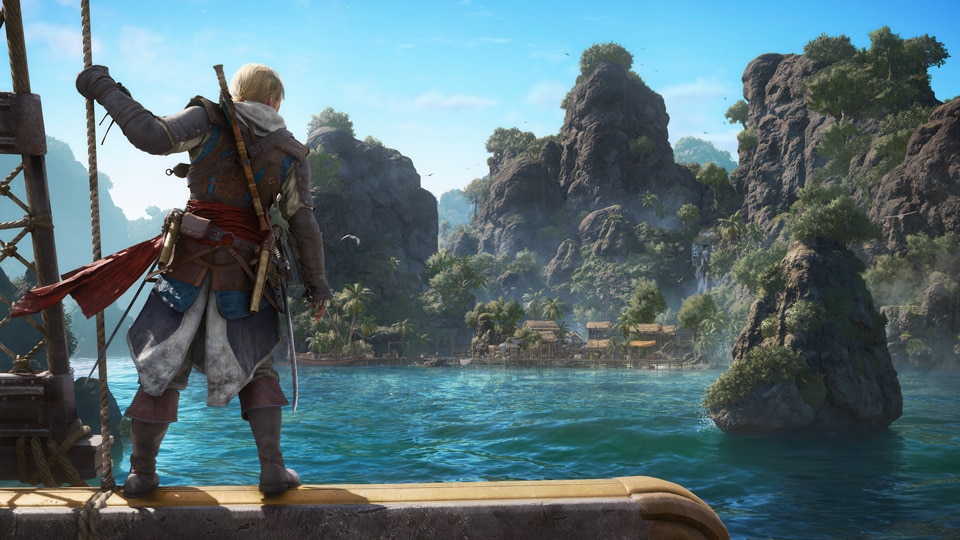
With Assassin's Creed Black Flag Resynced built on Ubisoft's latest Anvil engine overhaul, visual fidelity and frame rate targets vary dramatically across platforms.
Whether you are deciding between PS5 Pro vs Xbox Series X, tuning a mid-range PC (like an RX 7600 / RTX 4060), or troubleshooting the 1280x720 resolution bug, this verified guide breaks down the technical benchmarks and optimal settings.
Platform Comparison Benchmark & Specs
| Platform | Mode | Target FPS | Internal Render Resolution | Output | Ray Tracing (RT) | Upscaling Tech |
|---|---|---|---|---|---|---|
| PS5 Pro | Enhanced 60 | 60 FPS | Dynamic 1620p – 2160p | 4K | RTGI + RT Reflections | PSSR 2.0 |
| PS5 (Base) | Performance | 60 FPS | Dynamic 1080p – 1440p | Upscaled 4K | RTGI (Global Illum.) | Temporal Upscaler |
| PS5 (Base) | Balanced (120Hz) | 40 FPS | Dynamic 1440p – 1800p | Upscaled 4K | RTGI | Temporal Upscaler |
| PS5 (Base) | Fidelity | 30 FPS | Dynamic 1800p – 2160p | 4K | RTGI + RT Reflections | Temporal Upscaler |
| Xbox Series X | Performance | 60 FPS | Dynamic 1080p – 1440p | Upscaled 4K | RTGI | Temporal Upscaler |
| Xbox Series X | Quality | 30 FPS | Dynamic 1800p – 2160p | 4K | RTGI + RT Reflections | Temporal Upscaler |
| Xbox Series S | Performance | 60 FPS | Dynamic 900p – 1080p | 1080p | None | Temporal Upscaler |
| Xbox Series S | Quality | 30 FPS | Dynamic 1080p – 1440p | 1440p | RTGI | Temporal Upscaler |
| PC (Mid-Range) | Custom | 60–90 FPS | Native 1080p / 1440p | Native / 4K | Configurable (Off/Low/High) | DLSS 3.7 / FSR 3.1 / XeSS |
| PC (High-End) | Ultra RT | 120+ FPS | Native 4K | 4K / Ultrawide | Full RT Extended | DLSS Quality + Frame Gen |
PlayStation 5 vs PlayStation 5 Pro: The Key Differences
Base PS5 Performance
- Performance Mode (60 FPS): Delivers fluid combat and responsive naval steering. Dynamic resolution hovers between 1296p and 1440p during heavy sea storms and fort bombardments, reconstructing to 4K.
- Fidelity Mode (30 FPS): Enables full specular ray-traced water reflections. While visually stunning on Caribbean open waters, 30 FPS adds noticeable input latency during parry-heavy sword fights.
- Balanced Mode (40 FPS / 120Hz): The sweet spot for displays supporting HDMI 2.1 VRR. Gives 33% faster frame times than 30 FPS while preserving high geometric detail.
PS5 Pro: The Best Console Experience
- Uncompromised 60 FPS with Ray Tracing: Unlike the base PS5, the PS5 Pro runs full Ray-Traced Reflections and Global Illumination simultaneously at a locked 60 FPS.
- PSSR 2.0 Upscaling: Replaces traditional temporal upscaling with machine-learning reconstruction. Eliminates edge shimmer on ship rigging, foliage, and distant ocean waves.
- Audio Bug Note: If experiencing clicking noises in 3D Audio on PS5 Pro headsets, switch the audio profile in System Settings → Sound → 3D Audio for Headphones from "High" to "Standard".
Xbox Series X|S Breakdown
- Series X: Image quality and frame-rate stability are virtually indistinguishable from the base PS5. Series X has slightly stronger VRR support across 48–120Hz ranges, smoothing out brief dips during 8-ship naval battles.
- Series S: Excellent budget performance at 1080p 60 FPS. Turn off Motion Blur and Chromatic Aberration in game settings for maximum clarity on 1080p displays.
PC Optimization: Mid-Range Hardware (e.g. AMD RX 7600 / RTX 4060 / 32GB RAM)
For players running popular mid-range configurations (such as an AMD Radeon RX 7600 / NVIDIA RTX 4060 paired with 32GB RAM), you can achieve a locked 60–80 FPS at 1080p or 1440p using these optimized settings:
Recommended PC Graphics Preset (1080p / 1440p 60+ FPS)
- Display Mode: Fullscreen Exclusive
- Resolution Scale: 100% (or FSR Quality / DLSS Quality)
- Ray Tracing: Off or Low (Saves ~35% GPU load)
- Volumetric Clouds & Fog: Medium (High causes heavy FPS drops in naval storms)
- Water Quality: High (Essential for naval wake physics)
- Shadow Quality: Medium (Soft Shadows off)
- Environment Detail: High
- Texture Quality: Ultra (Requires 8GB+ VRAM)
- Depth of Field & Motion Blur: Off
Troubleshooting Known Technical & Display Bugs
1. Fix: Stuck in 1280x720 Windowed Resolution (PC)
If your game launches locked at 720p and grayed-out resolution menus:
- Open Windows File Explorer and navigate to:
%USERPROFILE%\Documents\Assassin's Creed Black Flag Resynced\ - Open
ACBFResynced.iniin Notepad. - Locate
DisplayWidthandDisplayHeight. - Manually edit to your native monitor resolution (e.g.
DisplayWidth=1920andDisplayHeight=1080or2560x1440). - Set
WindowMode=2(Exclusive Fullscreen), save the file, and set the file properties to Read-Only. - Relaunch the game.
2. PC Cutscene 30 FPS Cap
Ensure Title Update 1.0.4 is installed. In graphic options, change the preset from "Custom" to "High", restart the game, and adjust individual sliders afterward to uncap cutscene framerates.
Summary: Which Platform Should You Choose?
- Ultimate Visuals & Immersion: PS5 Pro (60 FPS + PSSR + Full Ray Tracing + DualSense haptics).
- Smoothness on a Budget: Base PS5 (Balanced 40 FPS) or Xbox Series X (Performance 60 FPS).
- Max Modding & Uncapped Frames: PC (RTX 4070 / RX 7800 XT or higher for native 4K 100+ FPS).
Sources & Benchmark References
- Ubisoft Support — Connectivity and Performance Resources
- Digital Foundry / GameRiot — AC Black Flag Resynced RTX 5090 vs PS5 Pro Technical Tour
- Ubisoft — Patch 1.0.4 Official Stability & Frame Generation Notes
Related Guides: Patch 1.0.4 & Known Issues Tracker | First Hour Blueprint | All 50 Weapons & Loadouts | Ships & Naval Combat